Healthcare billing rules do not change only once a year.
A new payment rule may be proposed months before it becomes final. CMS can issue a transmittal with a separate implementation date. A Medicare Administrative Contractor may update a local coverage policy. A commercial payer may change a provider manual, prior authorization list, or claim edit. Coding updates can also take effect at different points during the year.
That makes “staying current” harder than simply reading an annual code book.
The safest approach is to build a repeatable monitoring system.
A useful process looks like this:
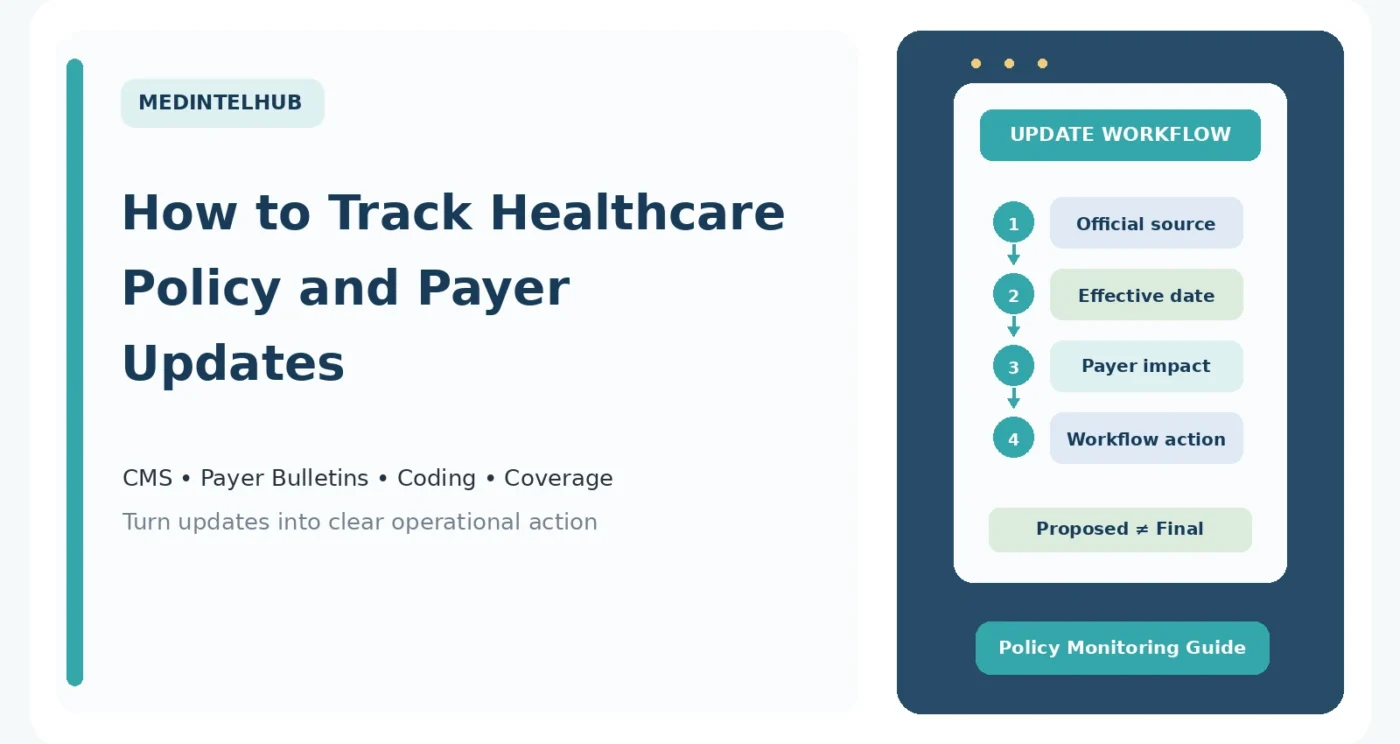
Find the official source → identify whether the change is proposed or final → record the effective and implementation dates → determine which payers and services are affected → update the workflow → verify that the change actually went live.
This article explains where to look and how to organize those updates without turning policy monitoring into a full-time job.
Important: Healthcare policies, coding requirements, coverage rules, payment rates, prior authorization requirements, filing limits, and payer edits can change. Practices should verify current information with the applicable payer, official government guidance, contracts, and current coding resources before changing billing or clinical workflows.
Do Not Rely on One Source
No single newsletter covers every healthcare policy change.
A physician practice that bills Medicare and several commercial insurers may need to monitor:
- CMS national updates
- Its Medicare Administrative Contractor
- Medicare coverage policies
- Federal regulations
- State Medicaid guidance
- Medicaid managed-care plans
- Commercial payer provider portals
- Coding organizations
- Internal denial and payment trends
The goal is not to read everything.
The goal is to know which sources matter to your organization and review them on a regular schedule.
Start With CMS MLN Connects for National Medicare Updates
For practices that bill Original Medicare, one of the most useful starting points is the CMS MLN Connects newsletter.
CMS describes MLN Connects as a weekly source for national Medicare Fee-for-Service information for healthcare providers, suppliers, billers, and coders.
Issues can include:
- Policy announcements
- Payment-rule updates
- Claims information
- Pricer updates
- Code changes
- Compliance reminders
- MLN Matters articles
- Educational resources
- Upcoming deadlines
A weekly review of MLN Connects is much more manageable than trying to monitor every CMS webpage separately.
Do not assume every item applies to your practice. Scan the headings first and open the items relevant to your specialties, provider types, and services.
Subscribe to Your Medicare Administrative Contractor
National Medicare rules are only part of the picture.
Medicare Fee-for-Service claims are processed by regional Medicare Administrative Contractors, or MACs.
CMS explains that MACs serve as a primary operational contact between Medicare Fee-for-Service and enrolled providers. They process claims and perform other Medicare administrative functions.
Your MAC may publish:
- Provider bulletins
- Local coverage updates
- Billing articles
- Webinars
- Claim-processing notices
- Educational events
- Portal announcements
CMS specifically encourages providers to subscribe to their MAC’s mailing list for national and local Fee-for-Service program news.
You can find MAC websites and electronic mailing lists through the CMS Provider Customer Service Program.
This matters because a national Medicare update may not tell you everything you need to know about local coverage or implementation.
Watch the Medicare Coverage Database
Coverage rules deserve their own monitoring process.
The Medicare Coverage Database contains national and local Medicare coverage documents.
These include:
- National Coverage Determinations, or NCDs
- National Coverage Analyses
- Local Coverage Determinations, or LCDs
- Billing and Coding Articles
- Proposed LCDs
An LCD is developed by a MAC and can define when a service is considered reasonable and necessary within that contractor’s jurisdiction.
That means two practices in different Medicare jurisdictions may need to pay attention to different local policies.
CMS also maintains an LCD What’s New report showing local coverage documents and articles updated in the most recent weekly Medicare Coverage Database update.
If your practice regularly bills services that are closely tied to medical-necessity policies, a weekly or biweekly review of relevant LCD and article changes can be worthwhile.
Use CMS Transmittals for Operational Changes
CMS transmittals are another important source because they can show exactly when operational instructions are being changed.
The 2026 CMS Transmittals page, for example, lists the transmittal number, issue date, subject, implementation date, change-request number, and related provider education when available.
This is a good reminder that several dates can matter.
A document can have:
- An issue date
- An effective date
- An implementation date
- A provider-education release date
Those dates are not always identical.
When a transmittal affects your workflow, record the implementation date instead of assuming the rule takes effect the day you first see the announcement.
Read MLN Matters When You Need the Operational Version
CMS also publishes MLN Matters articles.
These articles are designed to help Medicare providers understand coverage, billing, and payment changes that affect their provider type.
They can be easier to use operationally than reading a long regulation from beginning to end.
A practical workflow is:
- See the update in MLN Connects.
- Open the related MLN Matters article or transmittal.
- Identify the implementation date.
- Determine which billing workflows are affected.
- Save the official source in your internal change log.
Know the Difference Between a Proposed Rule and a Final Rule
One of the easiest policy-tracking mistakes is treating a proposed rule as if it were already final.
A proposed rule tells the public what an agency is considering and typically invites comments.
A final rule explains what the agency has actually finalized.
The details can change between the two.
For example, CMS published the CY 2027 Medicare Physician Fee Schedule proposed rule in July 2026. It contains proposed policies for the following calendar year, not rules that should automatically be treated as current 2026 billing requirements.
The same CMS regulation page also shows corrections that were published after the CY 2026 final rule.
So even after a final rule appears, it can be useful to monitor later correction notices.
Use the Federal Register to Follow Formal Rulemaking
The Federal Register’s CMS agency page is useful for following:
- Proposed rules
- Final rules
- Corrections
- Notices
- Public-comment opportunities
- Documents scheduled for publication
When reviewing a regulation, record:
- Document title
- CMS number when available
- Whether it is proposed, final, interim final, or a correction
- Publication date
- Effective date
- Comment deadline if applicable
- Operational changes that affect your organization
Do not build an operational workflow from a headline alone.
Use CMS Fact Sheets for a First Read, Then Check the Rule
A CMS fact sheet can be a good place to understand the major provisions of a large rule.
For example, CMS fact sheets summarize annual Medicare payment rules and explain major policy changes in plain language.
But a fact sheet is a summary.
If a change affects coding, reimbursement, eligibility, reporting, or a contract decision, go back to the actual final rule, CMS instruction, manual, or payer guidance before implementing it.
Monitor Medicaid at Both the Federal and State Levels
Medicaid is a federal-state program, so national CMS updates are not enough by themselves.
The Medicaid.gov Federal Policy Guidance database includes:
- Regulations
- State Medicaid Director letters
- Informational bulletins
- Operational and technical guidance
But providers should also monitor:
- Their state Medicaid agency
- State provider bulletins
- State fee schedules
- Medicaid managed-care plans they contract with
A federal Medicaid announcement may require state implementation before it changes day-to-day billing for a particular provider.
Commercial Payers Need Their Own Monitoring List
Commercial payer changes often appear in places that CMS newsletters will never cover.
For each major payer, identify the official provider source for:
- Provider newsletters
- Provider manuals
- Prior authorization lists
- Medical policies
- Reimbursement policies
- Claim-edit updates
- Fee-schedule notices
- Network announcements
- Portal alerts
Create one line in your monitoring sheet for each payer.
Do not rely only on emails.
Some payer notices may be posted in the provider portal or provider manual even if the email alert is missed.
Prior authorization deserves its own category because it can affect care before the claim is ever created.
When a payer changes an authorization rule, record:
- Service or code affected
- Plan or product affected
- New requirement
- Effective date
- Whether existing authorizations are affected
- Submission method
- Documentation requirements
For a detailed workflow, see our MedIntelHub guide Prior Authorization: A Clear Guide for Patients and Practices.
Monitor Coding Updates Throughout the Year
Annual code-set releases are important, but they are not the only coding updates that can occur.
CPT
The American Medical Association publishes CPT errata and technical corrections during the year.
AMA also publishes Proprietary Laboratory Analyses, or PLA, codes on a quarterly schedule.
That means a practice using only the printed annual codebook can miss later corrections or quarterly code activity.
For this year’s larger CPT changes, see our MedIntelHub article New CPT Code Changes for 2026: What Providers Need to Know.
ICD-10
CMS maintains the current ICD-10 code files.
In 2026, CMS published April 1 update files and has also posted FY 2027 ICD-10 files for changes effective October 1, 2026.
The lesson is simple:
Do not assume that January 1 is the only date that matters for coding maintenance.
NCCI
If you bill Medicare, review current NCCI edits and policy guidance when relevant.
NCCI Procedure-to-Procedure edits and Medically Unlikely Edits can be updated during the year.
Changes to edits can directly affect claim payment and denial patterns.
Use Denials as an Update Alert
Your own billing data can sometimes tell you that a payer rule changed before anyone notices the bulletin.
Watch for sudden increases in:
- Authorization denials
- Bundling denials
- Invalid-code denials
- Medical-necessity denials
- Non-covered-service denials
- Missing-information denials
- Unexpected network adjustments
If one denial category suddenly increases for one payer, ask whether a new policy, edit, or authorization requirement recently took effect.
Our MedIntelHub guide Claim Denials: A Practical Prevention and Follow-Up Checklist explains how to track denials by root cause.
Do Not Confuse a Payer Policy With a Universal Coding Rule
A payer can create a reimbursement or coverage policy that affects how it processes a code.
That does not necessarily mean the code itself changed.
For example, a payer might:
- Require prior authorization for a service
- Change the diagnosis criteria it uses for coverage
- Apply a reimbursement edit
- Change the number of covered visits
The underlying CPT or ICD-10 code may remain exactly the same.
Keep these categories separate in your internal notes:
- Code-set change
- CMS policy change
- Local Medicare coverage change
- Payer-specific coverage change
- Payer-specific reimbursement change
- Contract change
Build a Simple Policy Change Log
You do not need expensive compliance software to create a useful change log.
A spreadsheet can work.
Useful columns include:
- Date identified
- Source
- Payer or program
- Policy title
- Topic
- Status: proposed, final, correction, bulletin, or manual update
- Publication date
- Effective date
- Implementation date
- Provider types affected
- Codes or services affected
- Required action
- Person responsible
- Date workflow was updated
- Staff notified
- Link to official source
- Follow-up date
Use a Status Column
One small column can prevent a major mistake.
Label every update as something like:
- Monitoring
- Proposed
- Final — not yet effective
- Effective — implementation pending
- Implemented
- Superseded
This prevents a proposed policy from accidentally being treated as a current billing rule.
Assign Each Update to an Owner
An update that belongs to “everyone” often belongs to no one.
Depending on the organization, responsibility may go to:
- Practice manager
- Billing manager
- Coding lead
- Compliance staff
- Prior authorization team
- Clinical operations
- IT or EHR support
The owner does not need to implement everything personally.
The owner’s job is to make sure someone evaluates the update and closes the loop.
Use a Weekly Review Routine
For many practices, a short scheduled review is more reliable than checking updates randomly.
A weekly review can include:
- Scan MLN Connects.
- Review your MAC newsletter or portal updates.
- Review major payer bulletins received that week.
- Check unusual denial trends.
- Add relevant items to the change log.
- Assign an owner and follow-up date.
You do not need to implement every item that week.
You need to identify what deserves further review.
Add a Monthly Operational Review
Once a month, look beyond new announcements and ask whether previously identified changes were actually implemented.
Review:
- Policies becoming effective next month
- Pending payer contract changes
- Prior authorization updates
- Fee-schedule changes
- Coverage-policy changes
- Open workflow updates
- Staff training still needed
- Denial trends
This is where the change log becomes useful.
It turns a collection of newsletters into a list of actions.
Plan Around Known Annual and Quarterly Update Cycles
Some healthcare updates follow predictable cycles even though the exact publication dates can vary.
Examples include:
- Annual Medicare payment rules
- Annual CPT changes
- ICD-10 updates
- Quarterly NCCI edit files
- Quarterly PLA code releases
- Payer fee-schedule updates
- Annual or periodic provider-manual revisions
Add these expected update periods to a compliance or revenue-cycle calendar.
A planned review is easier than discovering a change through a denial.
Keep the Original Source
When you update a workflow, save the source that caused the change.
Do not write only:
“New payer rule starting October.”
Record the official payer bulletin, CMS document, regulation, or coding update.
Months later, someone may need to know why the workflow changed.
The original source also helps when:
- A payer processes claims inconsistently
- A denial needs to be appealed
- Staff disagree about an effective date
- A newer policy supersedes the old one
Verify That the Update Actually Went Live
Implementation does not end when staff receive an email.
After the effective date, confirm that:
- The EHR or billing system was updated
- Code lists were updated
- Authorization workflows changed
- Charge templates were revised
- Staff received instructions
- Payer portals reflect the new policy
- Claims are processing as expected
If denials or underpayments appear after implementation, investigate whether the practice or payer is still using old logic.
For the broader revenue-cycle process, see Medical Billing Workflow: From Patient Visit to Payment.
A Practical Source List
If you are starting from scratch, begin with these categories:
Medicare national updates
- CMS MLN Connects
- MLN Matters articles
- CMS Transmittals
- CMS payment-rule pages
Medicare local updates
- Your Medicare Administrative Contractor
- Medicare Coverage Database
- LCD What’s New reports
Federal rulemaking
- Federal Register CMS documents
- CMS Newsroom fact sheets
- HHS Press Room
Medicaid
- Medicaid.gov Federal Policy Guidance
- Your state Medicaid agency
- Your Medicaid managed-care plans
Commercial insurance
- Payer provider portals
- Provider newsletters
- Provider manuals
- Medical and reimbursement policies
- Prior authorization lists
Coding
- AMA CPT updates and errata
- AMA PLA updates
- CMS ICD-10 files
- CMS NCCI files and policy manual
A Five-Minute Test Before You Change a Workflow
Before changing billing or clinical operations because of an update, answer these questions:
- What is the official source?
- Is this proposed or final?
- What is the effective or implementation date?
- Which payer, plan, provider type, service, or code is affected?
- What exactly needs to change in our workflow?
If you cannot answer those five questions, the update probably needs more review before implementation.
The Bottom Line
Healthcare policy monitoring works best when it is treated as a process rather than a news habit.
Start with official sources.
For Medicare, follow MLN Connects, your MAC, CMS transmittals, MLN Matters, payment-rule pages, and the Medicare Coverage Database.
For Medicaid, follow both federal CMS guidance and your state program.
For commercial insurance, maintain a payer-by-payer list of provider portals, manuals, newsletters, prior authorization policies, and reimbursement updates.
For coding, remember that annual codebooks are not the only updates. Errata, quarterly edits, PLA releases, and other files can change during the year.
Most importantly, separate the announcement from the action.
Record whether an update is proposed or final.
Record the effective and implementation dates.
Identify who and what it affects.
Assign an owner.
Then verify that the new workflow actually works after implementation.
That approach is much more reliable than trying to remember every healthcare headline.
Sources and References
- Centers for Medicare & Medicaid Services — MLN Connects Newsletter. Weekly national Medicare Fee-for-Service news for providers, suppliers, billers, and coders.
- Centers for Medicare & Medicaid Services — MLN Matters Articles. Provider education about Medicare coverage, billing, and payment changes.
- Centers for Medicare & Medicaid Services — 2026 Transmittals. Current CMS transmittals with issue dates, implementation dates, change requests, and provider education.
- Centers for Medicare & Medicaid Services — Provider Customer Service Program. Links to Medicare Administrative Contractor websites, portals, and electronic mailing lists.
- Centers for Medicare & Medicaid Services — Medicare Coverage Database. Search tool for national and local Medicare coverage documents, including NCDs, LCDs, proposed LCDs, and articles.
- Centers for Medicare & Medicaid Services — Local Coverage Determinations. Information about LCDs, MAC jurisdictions, and the LCD What’s New report.
- Centers for Medicare & Medicaid Services — Physician Fee Schedule Federal Regulation Notices. Proposed rules, final rules, and corrections for Medicare Physician Fee Schedule policy.
- Federal Register — Centers for Medicare & Medicaid Services. CMS proposed rules, final rules, corrections, notices, public-inspection documents, and other formal rulemaking materials.
- Medicaid.gov — Federal Policy Guidance. Federal Medicaid and CHIP regulations, State Medicaid Director letters, informational bulletins, and other policy guidance.
- Centers for Medicare & Medicaid Services — ICD-10. Current ICD-10-CM and ICD-10-PCS files and update information.
- American Medical Association — CPT Errata and Technical Corrections. Current corrections and updates to CPT publications.
- American Medical Association — CPT PLA Codes. Quarterly Proprietary Laboratory Analyses code publication and effective-date information.
- U.S. Department of Health and Human Services — Press Room. Current HHS announcements, press releases, and policy news.
Editorial Disclaimer
MedIntelHub provides healthcare, insurance, medical billing, and patient-education information for educational purposes only.
This article does not provide legal, coding, reimbursement, compliance, or payer-contract advice. Healthcare policies, coding requirements, payment rules, coverage criteria, prior authorization requirements, filing limits, and payer procedures can change and may differ by program, insurer, jurisdiction, provider type, and contract.
Healthcare organizations should verify changes using the applicable official source and current payer guidance before modifying billing, coding, authorization, or clinical workflows.
CPT is a registered trademark of the American Medical Association.
For more information about our publication, visit About MedIntelHub.

David Bennett
David Bennett is an author at MedIntelHub, where he creates clear, practical, and well-researched content about healthcare, medical billing, insurance, and patient education. His goal is to make complex healthcare topics easier for readers to understand and use in everyday situations. David emphasizes accuracy, transparency, and reliable sourcing, using information from trusted organizations and official healthcare resources whenever possible. Content published by David is intended for educational purposes and should not replace advice from qualified medical, legal, or healthcare professionals.